
The TRUE Summer Update
A new home screen that learns what you use, TRUE FUN with memes, on-chain stocks and pre-IPO names, a rebuilt wallet with multi-wallet, Autopilot v3 that goes long and short on its own sub-account, and take profit and stop loss you pinch straight on the chart.
This is the biggest release TRUE has shipped in one go. Seven things changed, and most of them are things you touch every day: the screen you open on, where you find what to trade, where your money sits, how it moves, what trades for you while you sleep, and how you protect a position. Here is all of it.
A new home screen, and it learns
The screen you open on is new. It is personalised to your account rather than one layout everyone shares, and it learns from what you actually do in the app. The more you trade, swap and run agents, the more the screen leans that way. You never configure it.
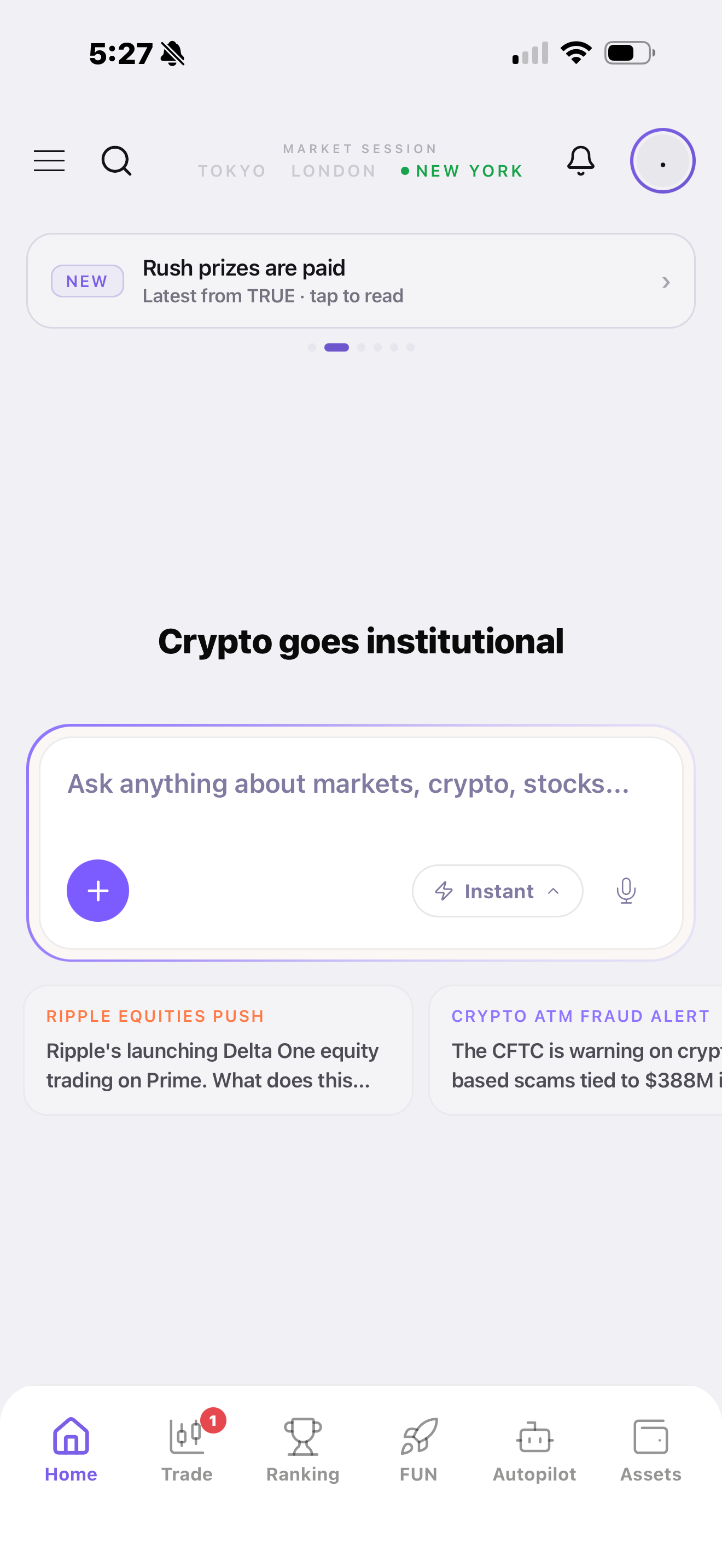
It is also deliberately calmer. TRUE has a lot of features and the old home tried to show most of them at once. This one gives each thing room and keeps a clear order, so a glance is enough.
- Ask anything about markets, crypto or stocks straight from the top of the screen.
- See which market session is open, Tokyo, London or New York, at a glance.
- Read what moved while you were away, in cards you can tap straight into.
- Catch what is new from TRUE in the banner rather than hunting for it.
TRUE FUN: memes, on-chain stocks and pre-IPO
TRUE FUN is new, and it is where you go to find something to trade. Trending memecoins and on-chain stocks live on one board, including pre-IPO names, and you can swap and trade straight from it.
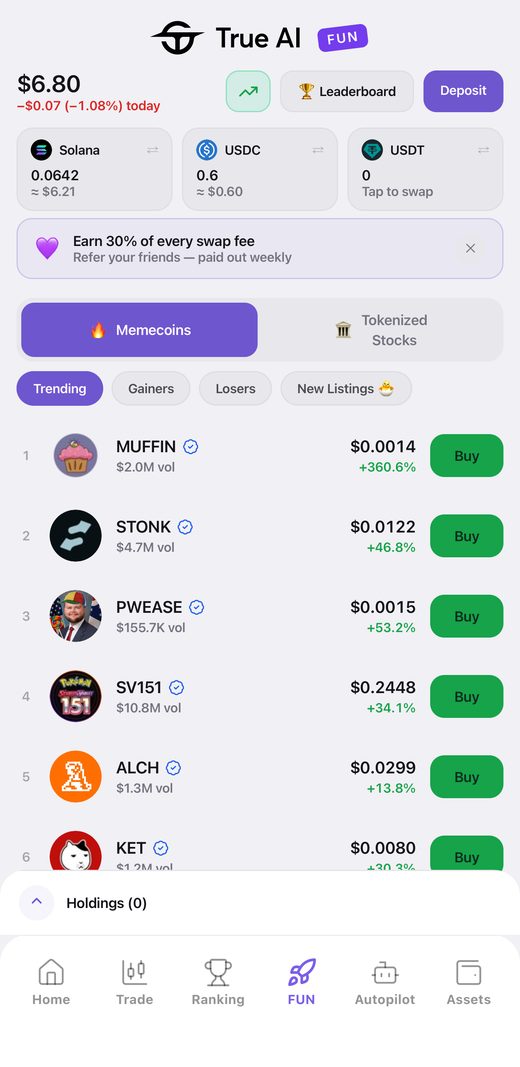
It runs around the clock, which matters because memes do not wait for the opening bell and neither does the board.
- Swap and trade memecoins and on-chain stocks in the same place.
- Reach pre-IPO names alongside the listed ones.
- Move between trending, gainers, losers and new listings.
- Trade what you find without leaving the board.
A completely new wallet, and multi-wallet
The wallet has been rebuilt, and it is no longer one wallet. You can run several on a single account and switch between them with a tap, while one portfolio view still shows you everything at once.
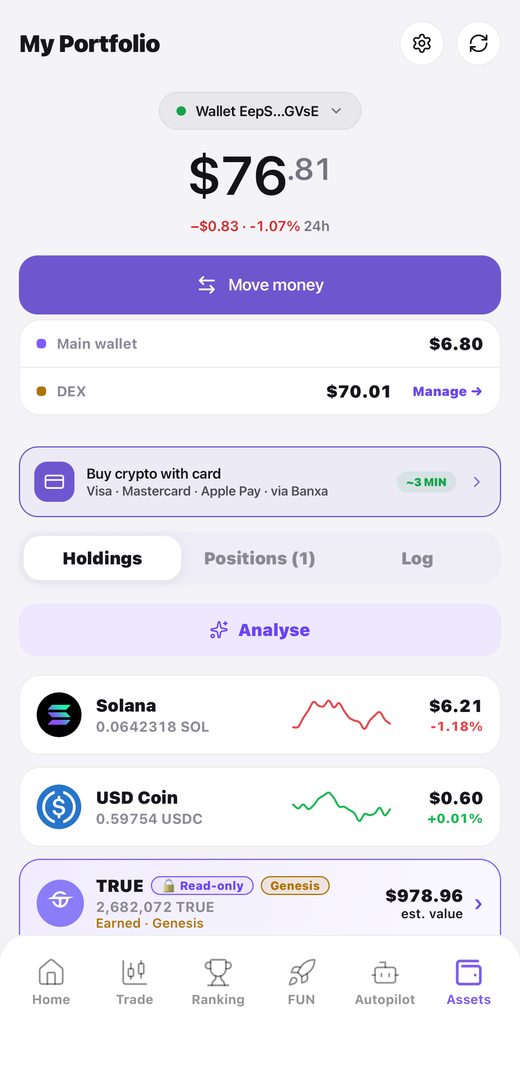
That is what makes the rest of this release work: separate wallets mean you can keep your long-term holdings, your day trading and your agents apart without three logins.
- Hold several wallets under one account and switch in a tap.
- See main wallet, DEX balance and agent sub-accounts in one view.
- Keep positions you are holding apart from money you are actively trading.
- Read one total instead of adding up screens.
Moving money between your accounts is new
Transfers across your own accounts were rebuilt from scratch. Main wallet, DEX balance, Autopilot sub-accounts: moving between any of them is now a single flow instead of several separate ones, and you start it from the same button wherever you are.
- Move funds between your own accounts in one flow.
- Fund an agent without leaving what you were doing.
- Pull money back out of an agent the same way you put it in.
Autopilot v3, rebuilt from the ground up
Autopilot is new, on new algorithm technology. The biggest change is what it is allowed to do: it goes long and short for you, and it trades memes as well as majors.
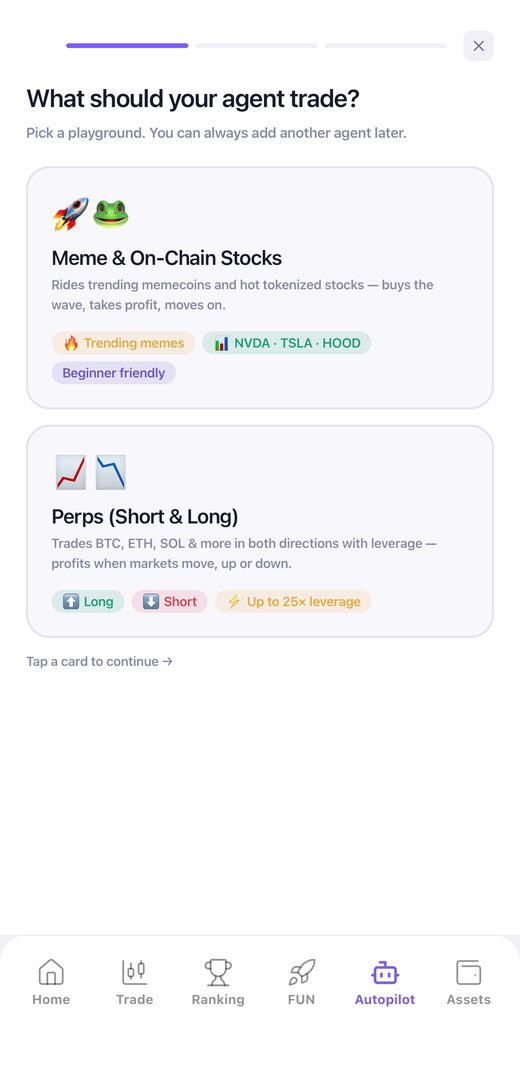
Every agent also runs on its own sub-account now. Its budget is separated from your trading balance, so an agent can only ever work with what you gave it.
- Run agents that go long and short, not just long.
- Put an agent on top trending memes, or on brand new ones.
- Give each agent its own sub-account and its own budget.
- Create one in under a minute: pick a playground, fund it, name it.
- Run several agents at once, each on its own money.
Take profit and stop loss you can pinch
Setting your exit is now something you do with your fingers on the chart. Pinch and drag the take profit and stop loss handles where you want them and watch the estimated result move with you, or tap a quick chip if you already know the level.
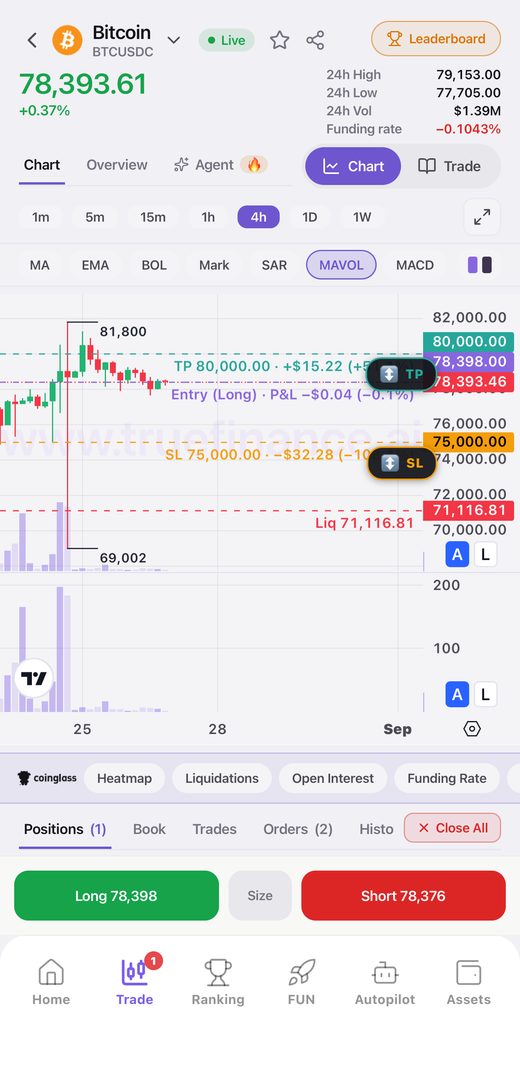
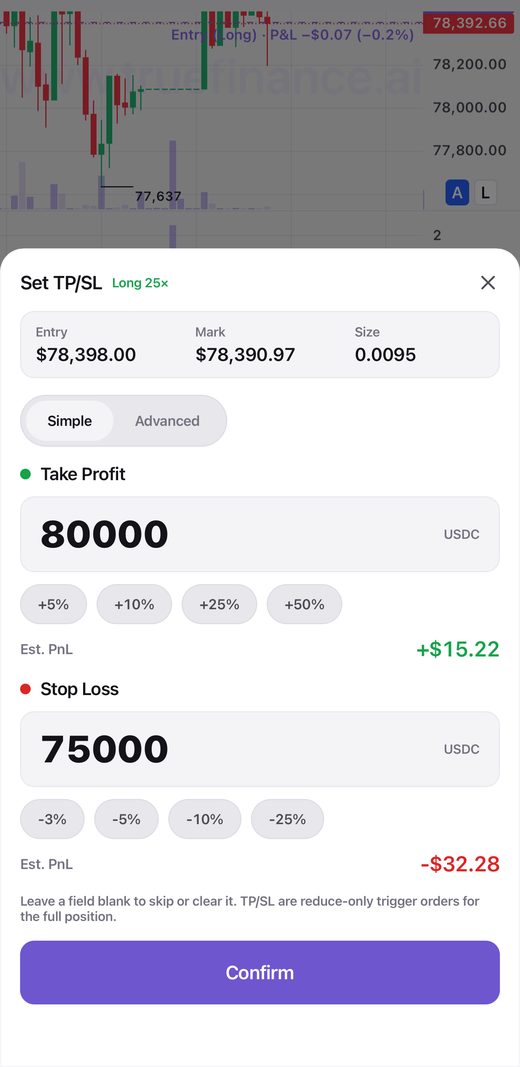
The control itself is new, and there is more of your trading data around it while you set the levels, so the decision is made with the numbers in front of you rather than from memory.
- Drag TP and SL directly on the chart instead of typing numbers.
- Use quick chips when you already know the level you want.
- Watch the estimated outcome update as you move the handles.
- See more of your trading data on the same screen.
Redesigned across web and app
A large number of components were redesigned across both the web app and the mobile app, so the two now look and behave like one product. Underneath that sits a long list of bug fixes.
Update the app and open it. Everything above is live.