
 October 2026
TRUE just became easier than ever, more flexible than ever, and ready for marketing
Most of this release is about the work around the trade: getting in, getting funded, choosing who to copy, and reading what everyone else is doing. Ten things shipped. Here is each one.
A completely new way in New
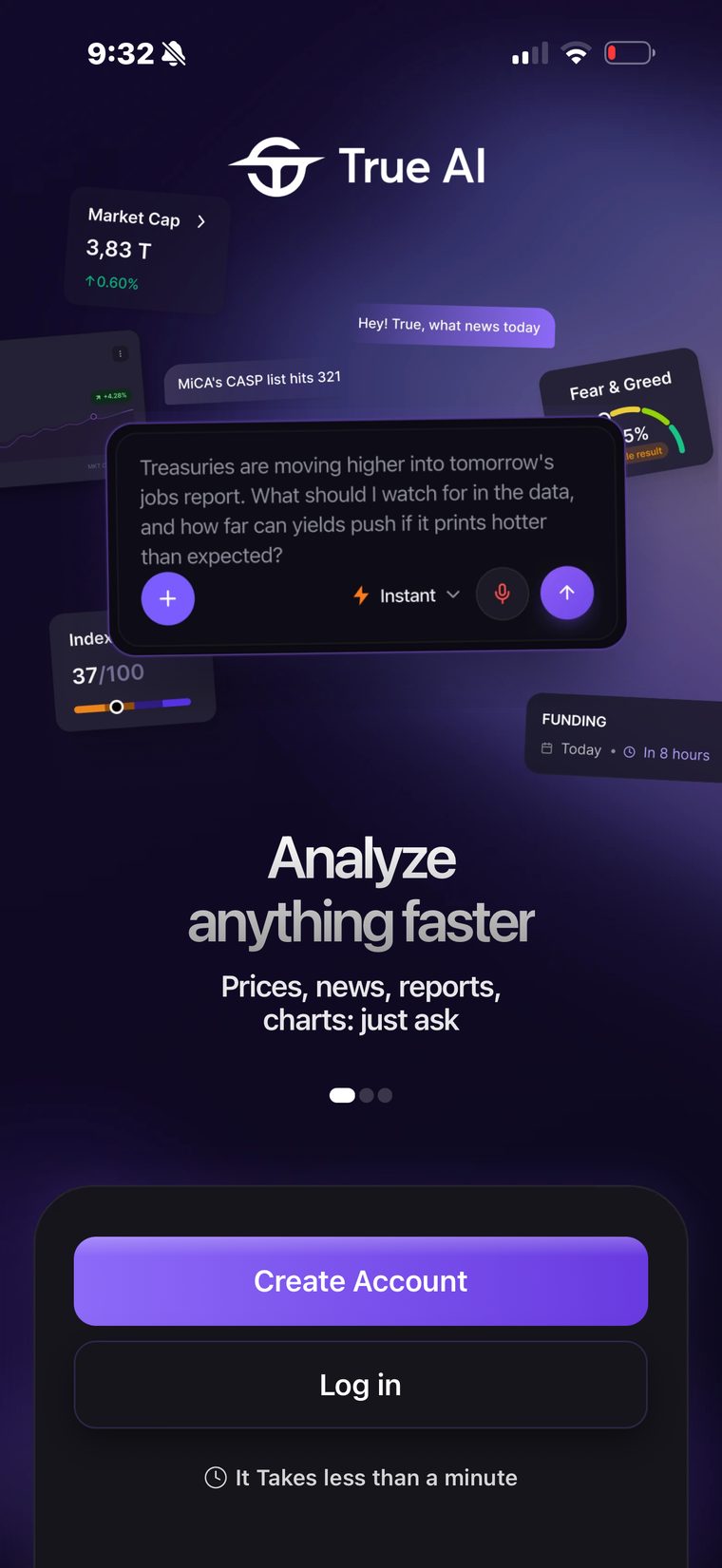
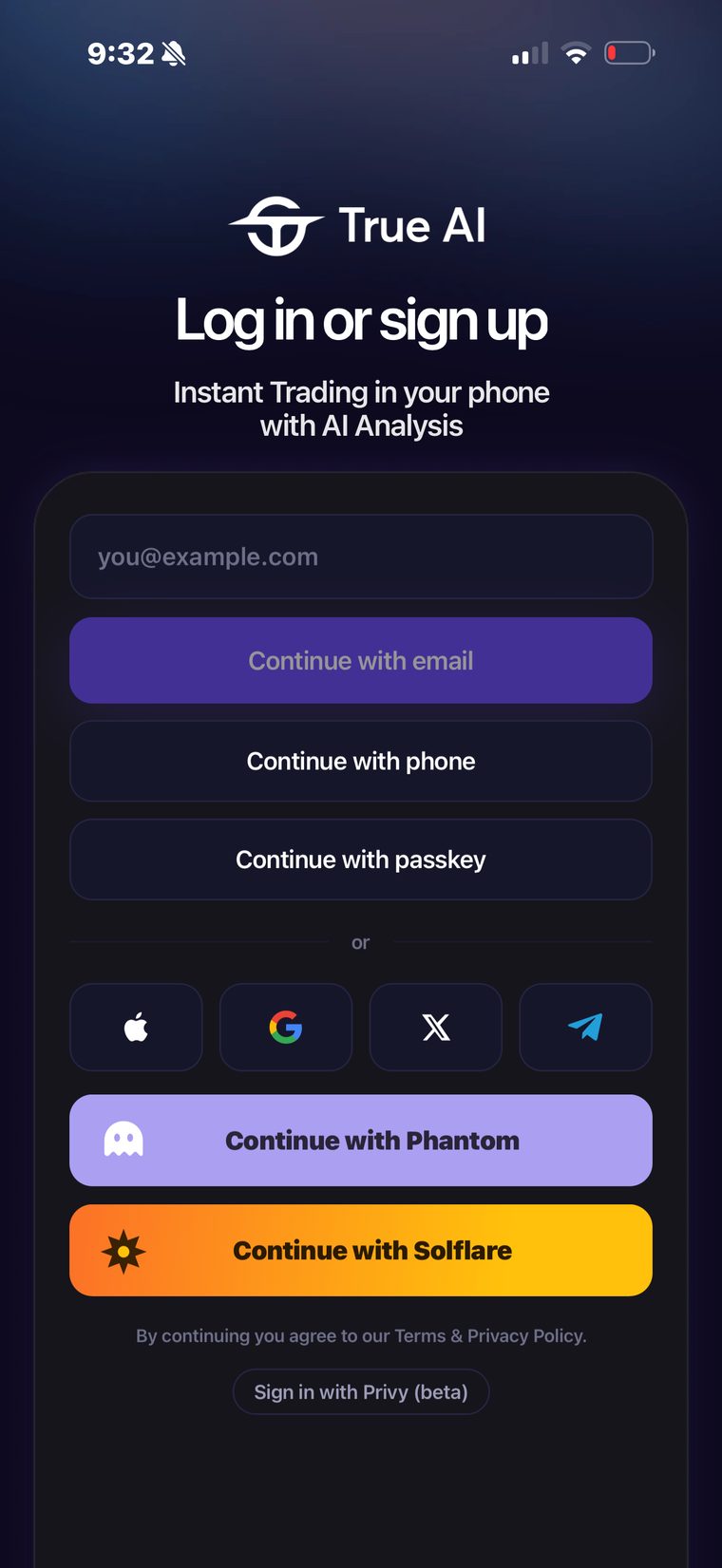
The first minute has been rebuilt from nothing. New story screens with custom animations, a calmer sign-in sheet, and a sequence that gets you to a funded account instead of asking you questions.
- Sign up with a phone number. No email needed if you do not want to give one.
- Passkey and Face ID. Set it once and you are back in with a look. It is stronger than a password and faster than typing one.
- Phantom, heavily improved. The Phantom connection was rebuilt end to end, and Solflare sits beside it.
- Apple, Google, X and Telegram are all one tap, as before.
Brand new agents, and strategies you can build New
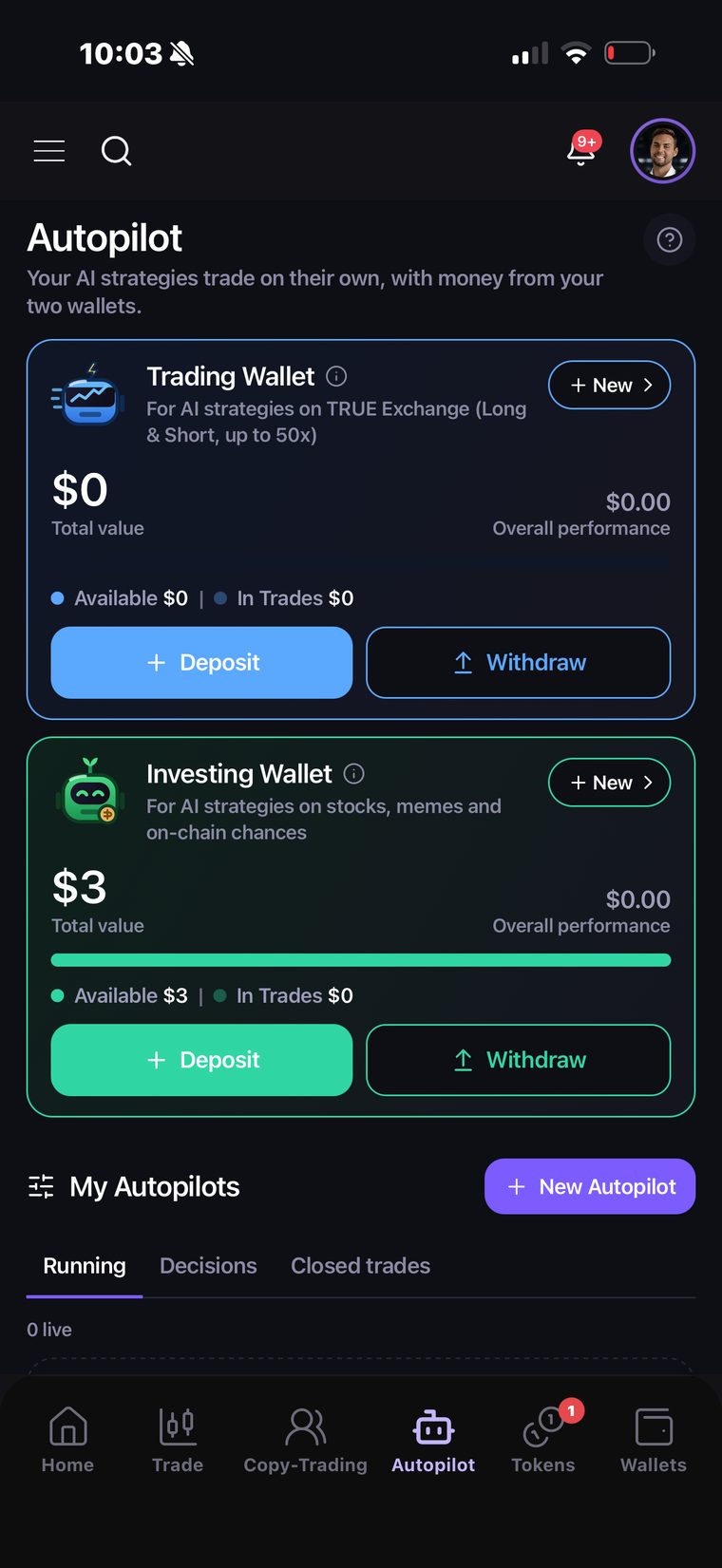
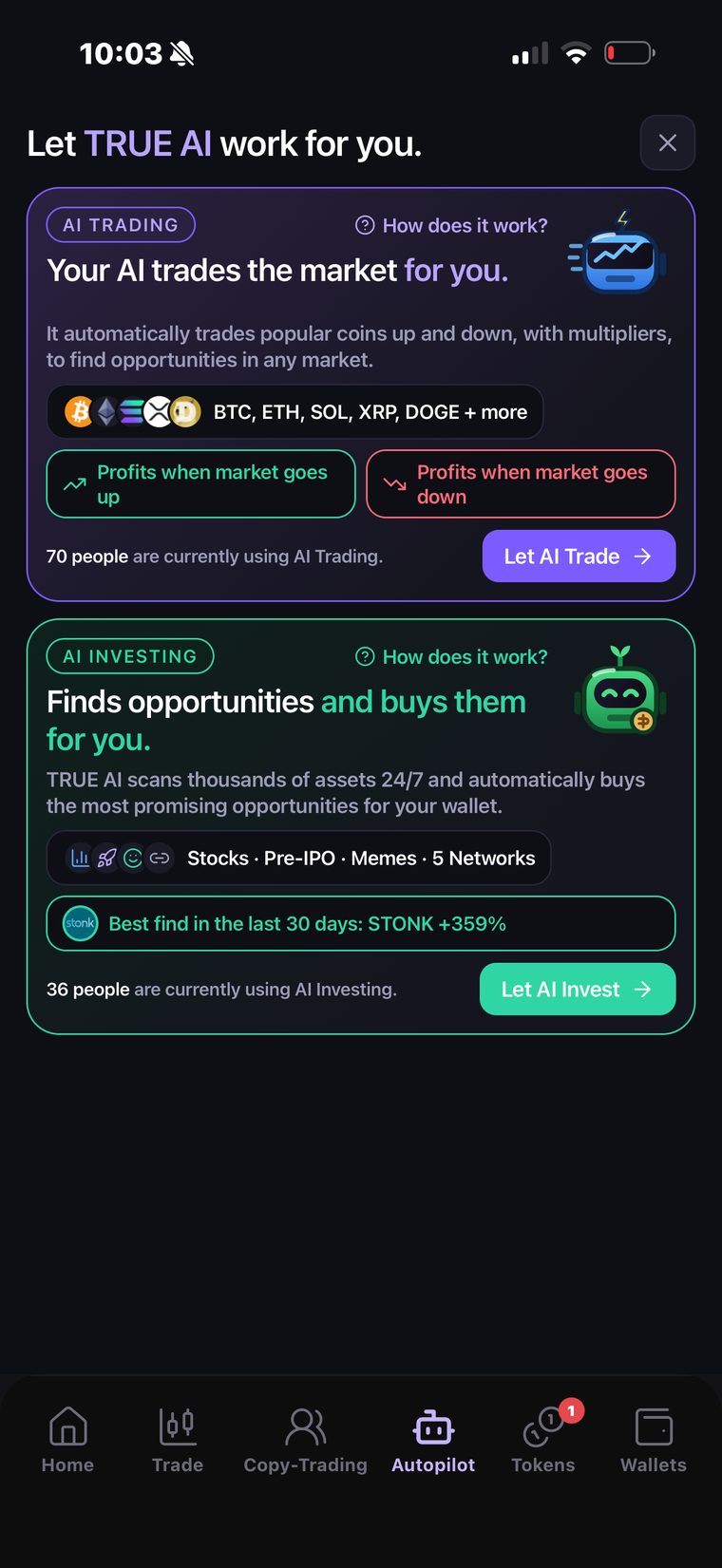
Autopilot was rebuilt. Your AI strategies now run out of two separate wallets, so leveraged trading and spot investing never share a budget.
- Trading Wallet. For AI strategies on TRUE Exchange: long and short, up to 50x.
- Investing Wallet. For AI strategies on stocks, memecoins and on-chain opportunities.
Each wallet has its own balance, its own deposit and withdrawal and its own performance, and an Autopilot only ever draws from the one it belongs to.
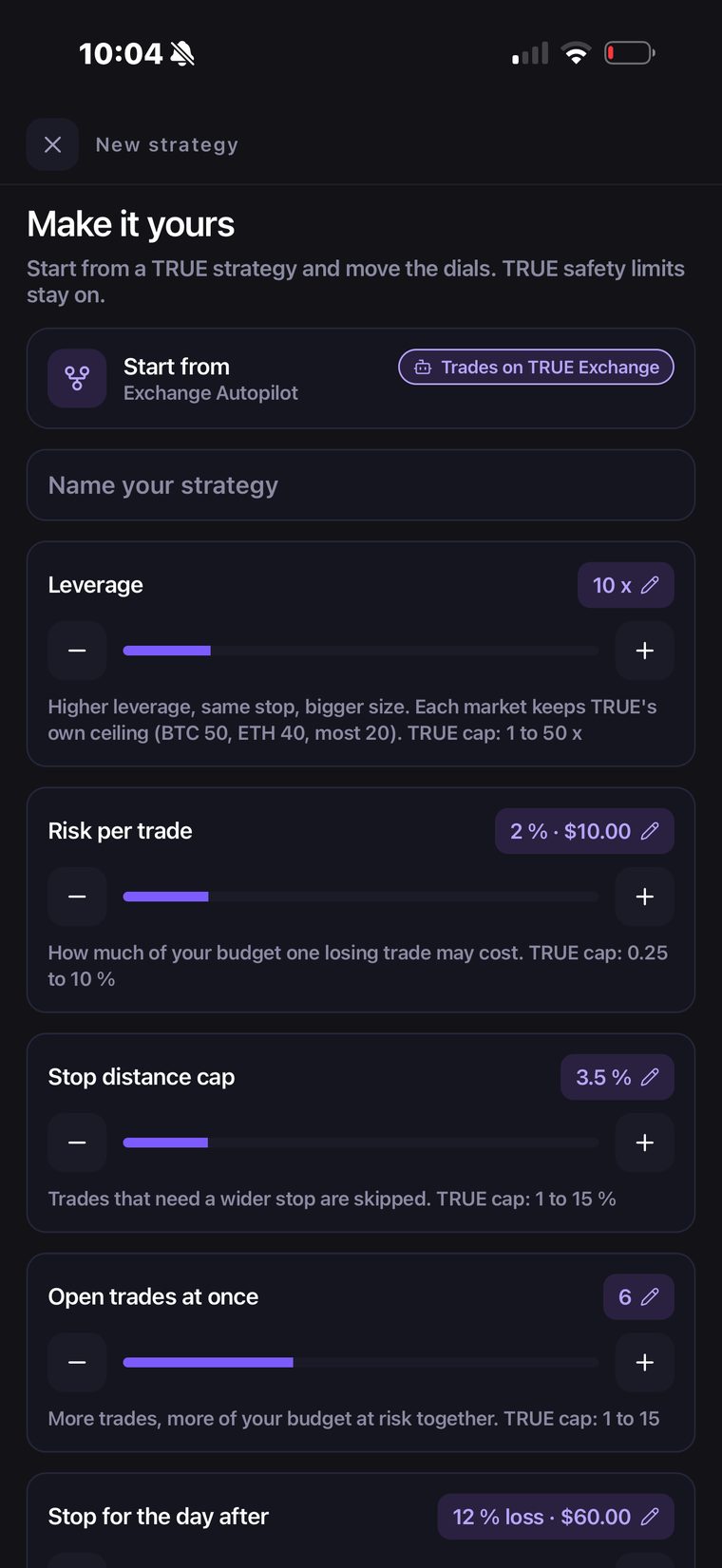
Build your own strategy, then share it
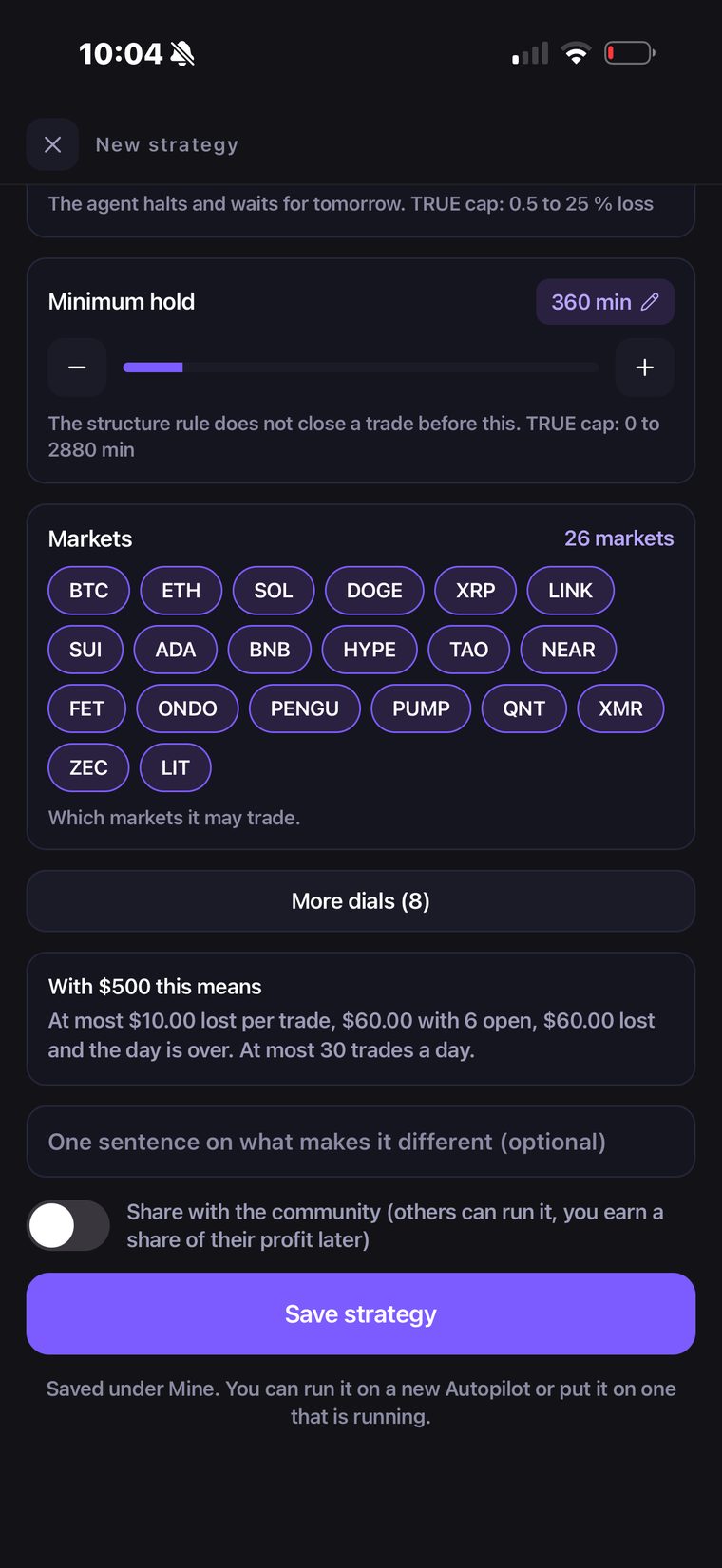
Start from a TRUE strategy and move the dials: leverage, risk per trade, stop distance, how many trades may be open at once, when the day stops, minimum hold, and which of the 26 markets it may touch. TRUE's safety limits stay on whatever you do. Every dial states its own cap, and every market keeps its own leverage ceiling.
Underneath, the builder says what your settings mean in money rather than in jargon. With $500 and the dials above: at most $10 lost on a trade, $60 with six open, and the day ends after $60.
Name it, save it, and run it on a new Autopilot or drop it onto one that is already running. Turn on Share with the community and anyone can run your strategy, and you earn a share of the profit it makes for them.
A new home screen New
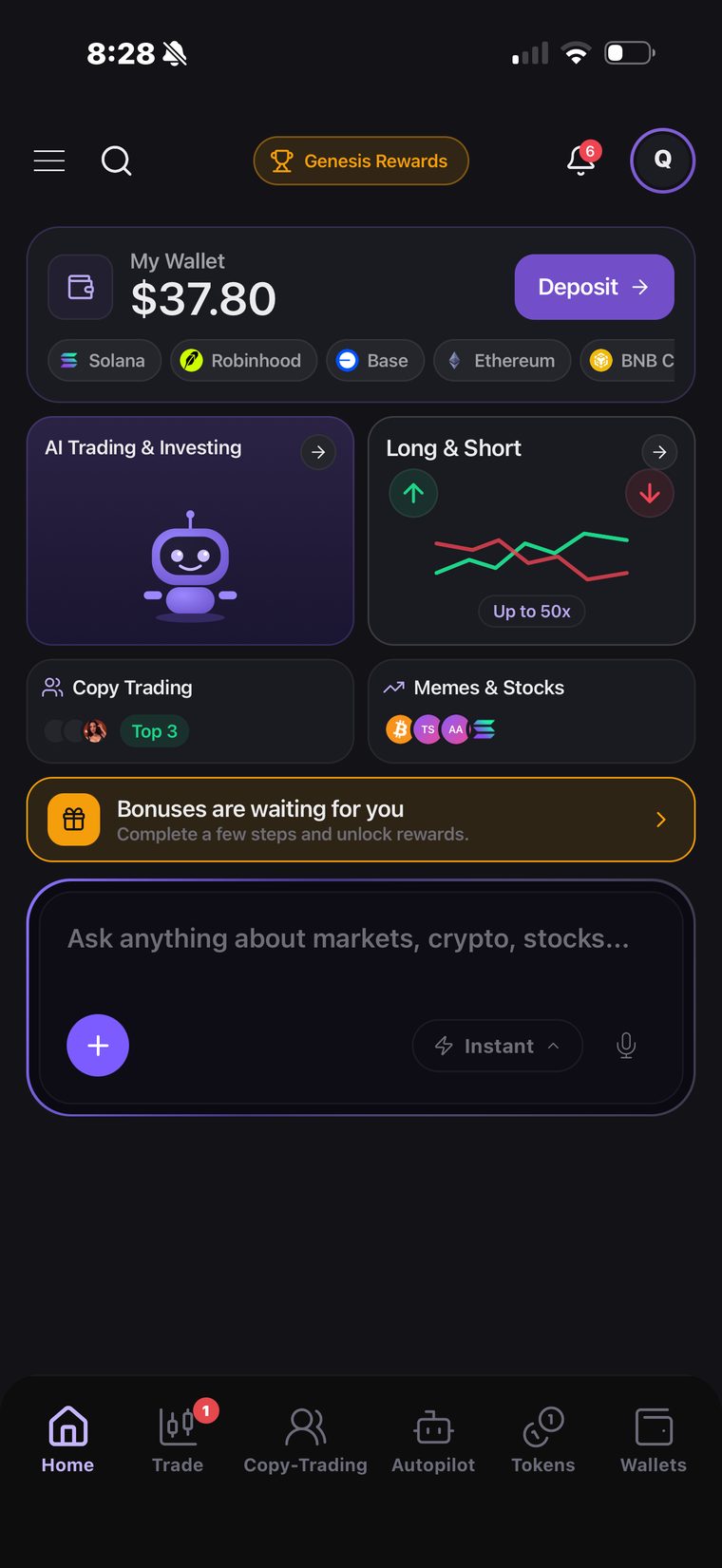
Home leads with your money and the four things you are most likely to do next: your balance across every network with one tap to deposit, AI trading and investing, long and short, copy trading, and memes and stocks. The assistant sits underneath it, ready for a question.
BNB Chain, end to end New
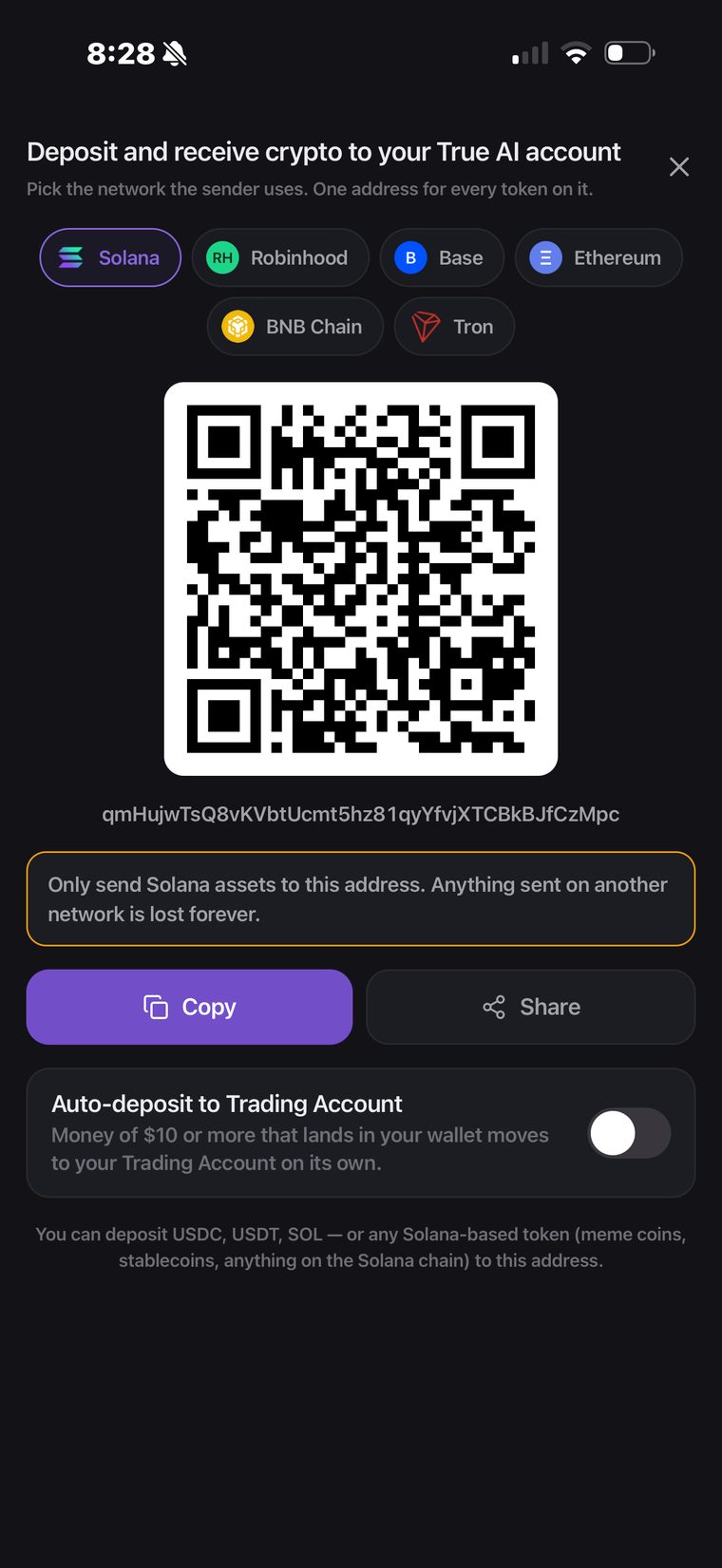
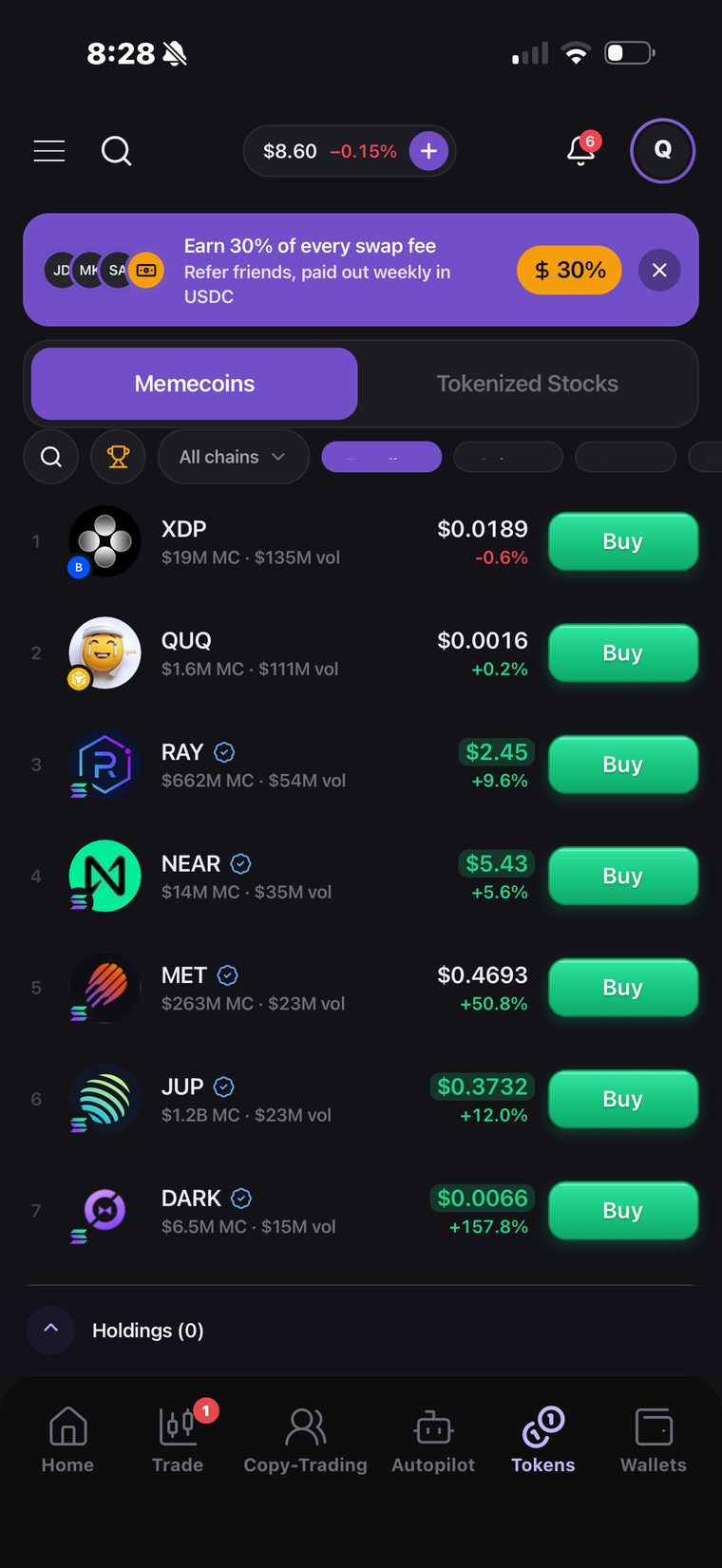
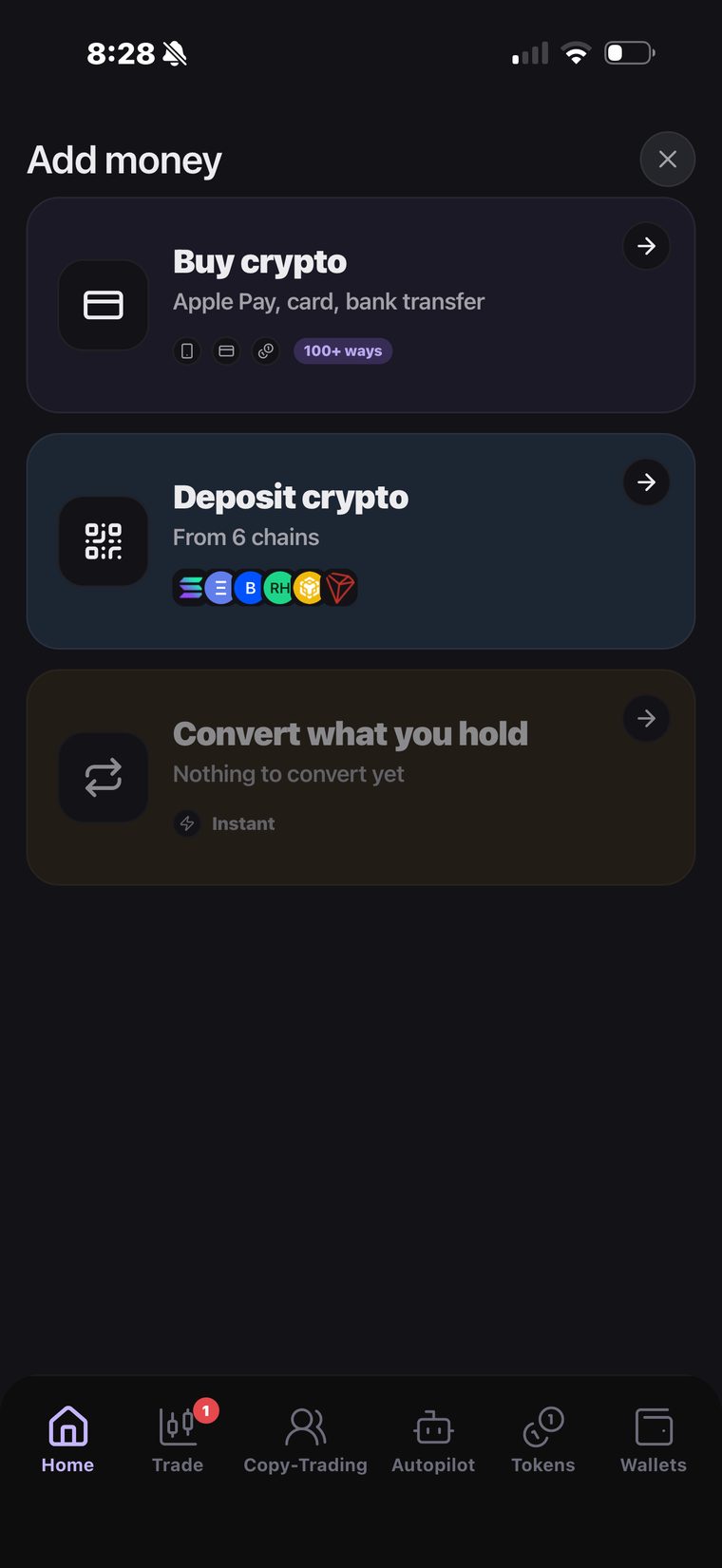
BNB Chain is live across the whole account. Deposit to it, withdraw from it, convert in and out of it, and trade BNB Chain memecoins beside Solana, Base, Ethereum, Robinhood and Tron. One address per network, the same balance.
Funding that converts itself New
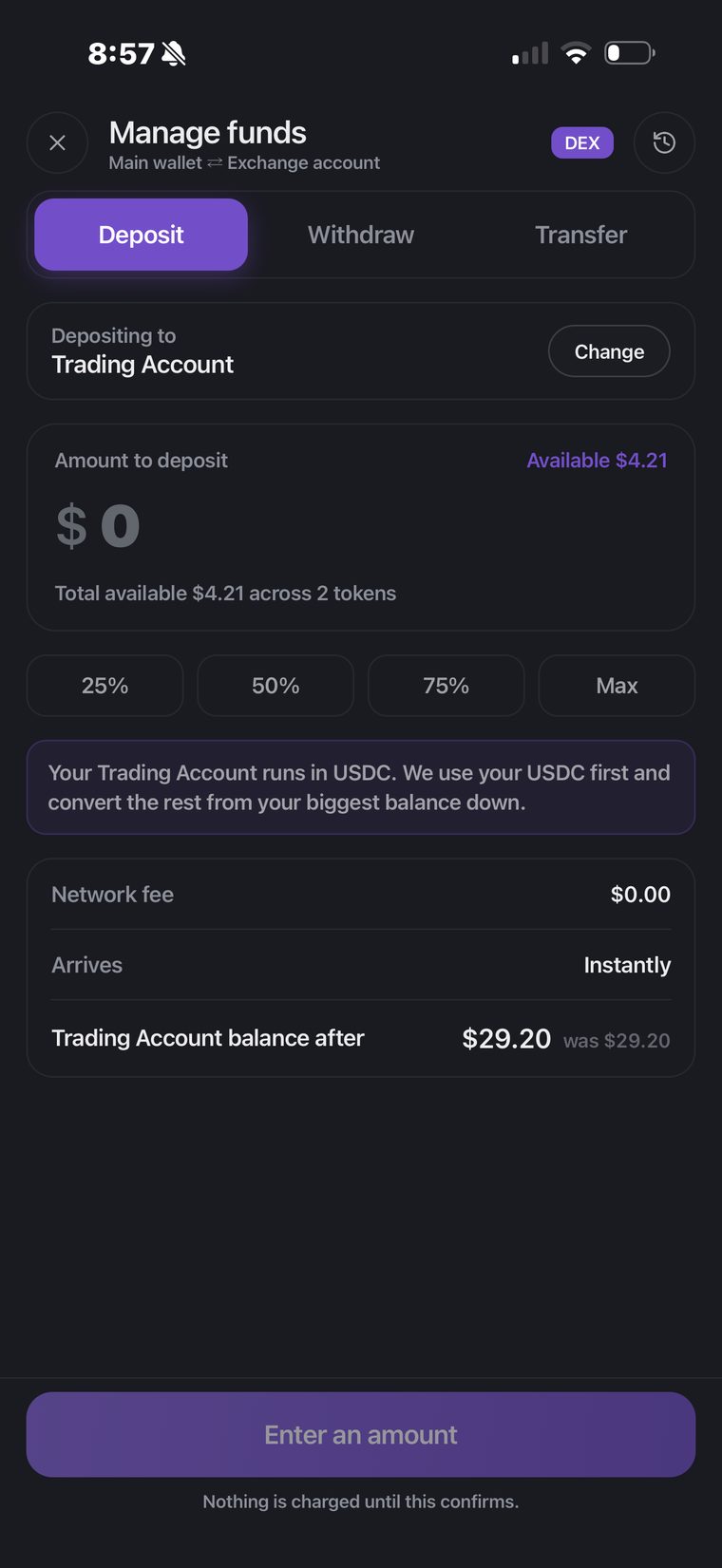
You no longer need to be holding the right asset before you can trade. Your Trading Account runs in USDC, so when you fund it the engine uses your USDC first and converts the rest from your biggest balance down, at the best route it can find, in the same move. Nothing to swap by hand first, and nothing is charged until you confirm.
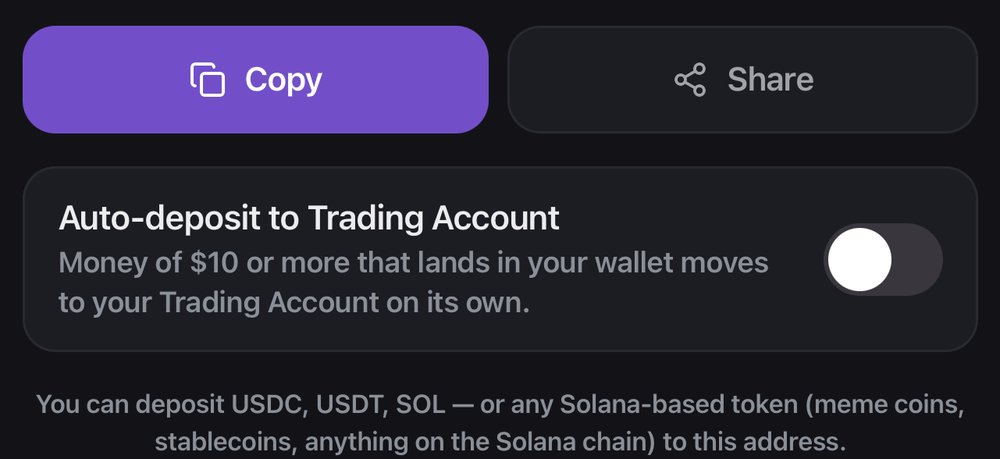
And you can skip the step entirely. Turn on Auto-deposit and anything of $10 or more that lands in your wallet goes straight to your Trading Account on its own, converted on the way.
Copy trading filters you can save and share New
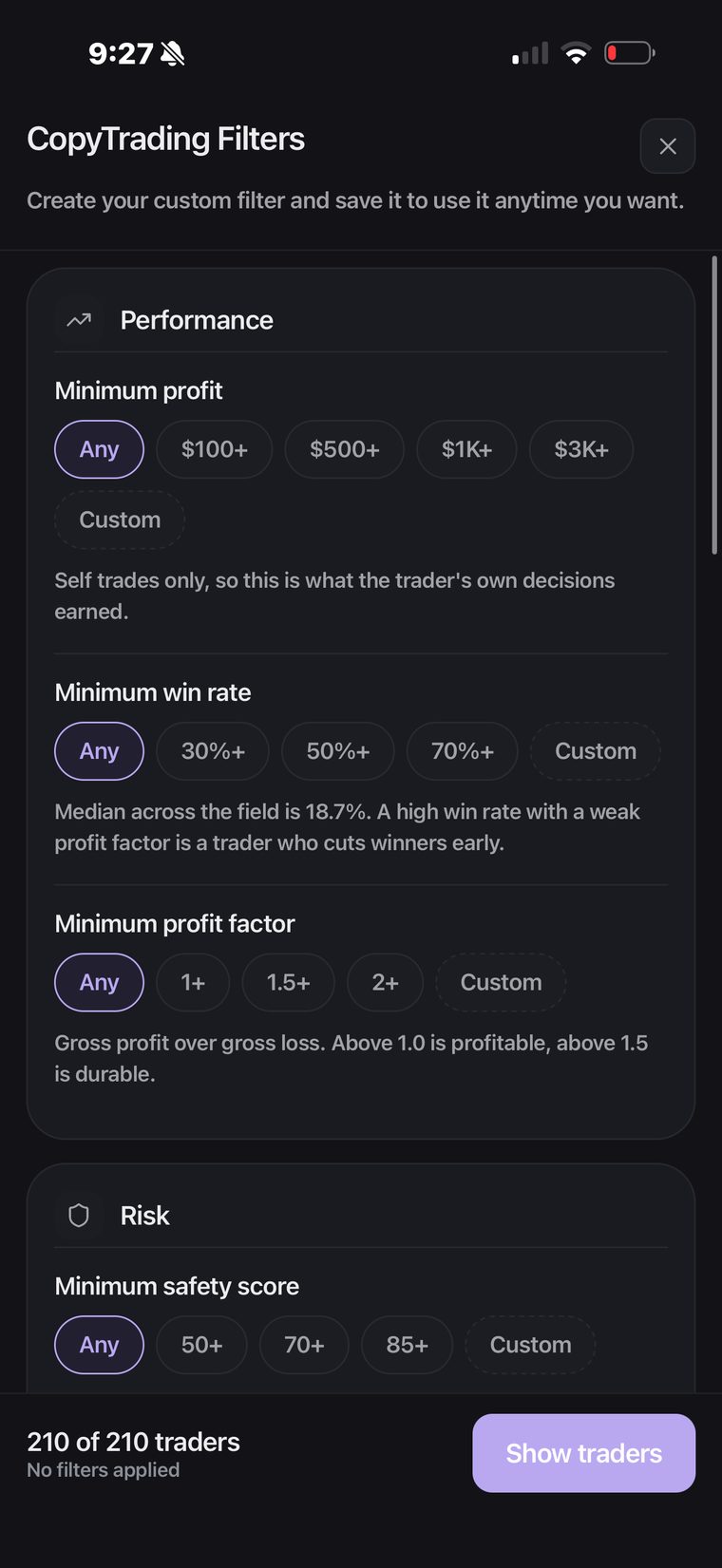
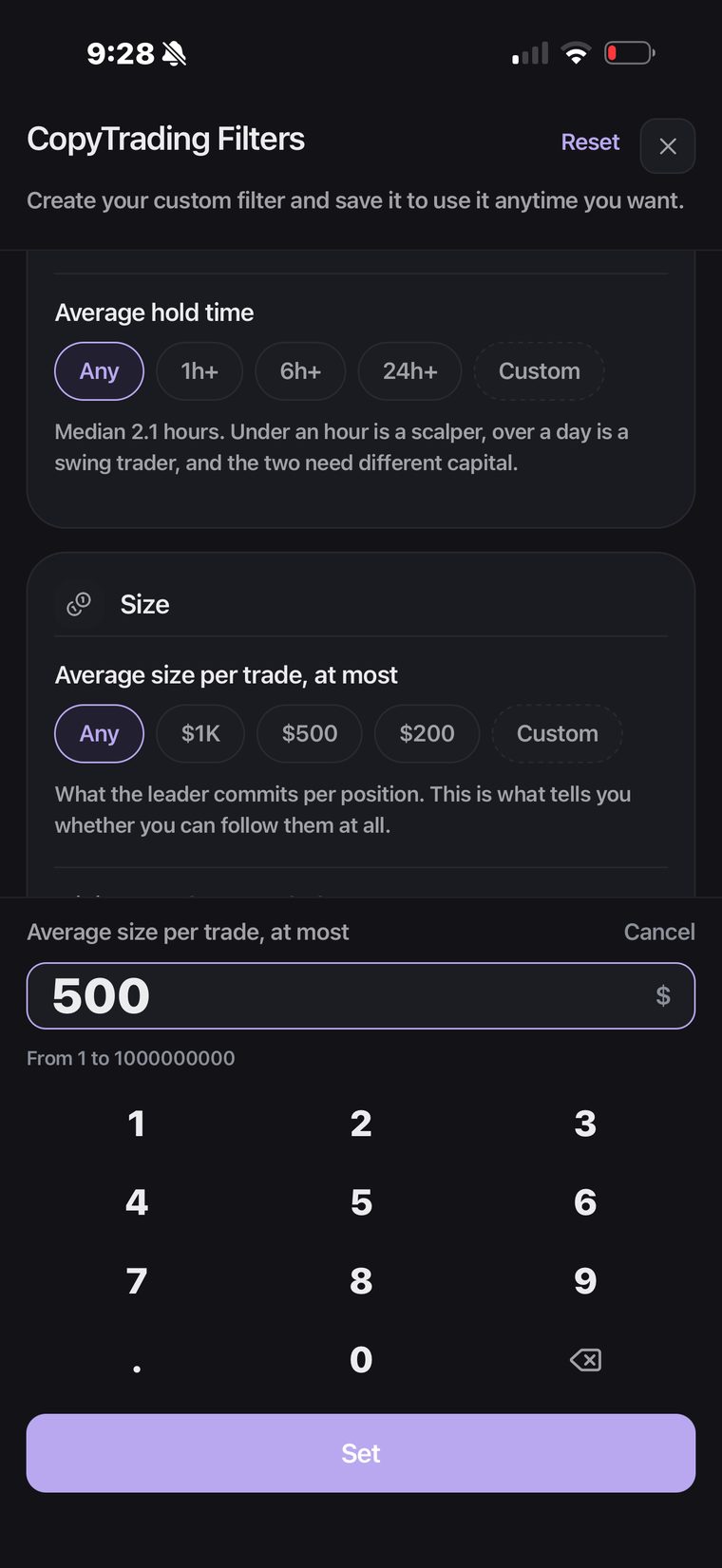
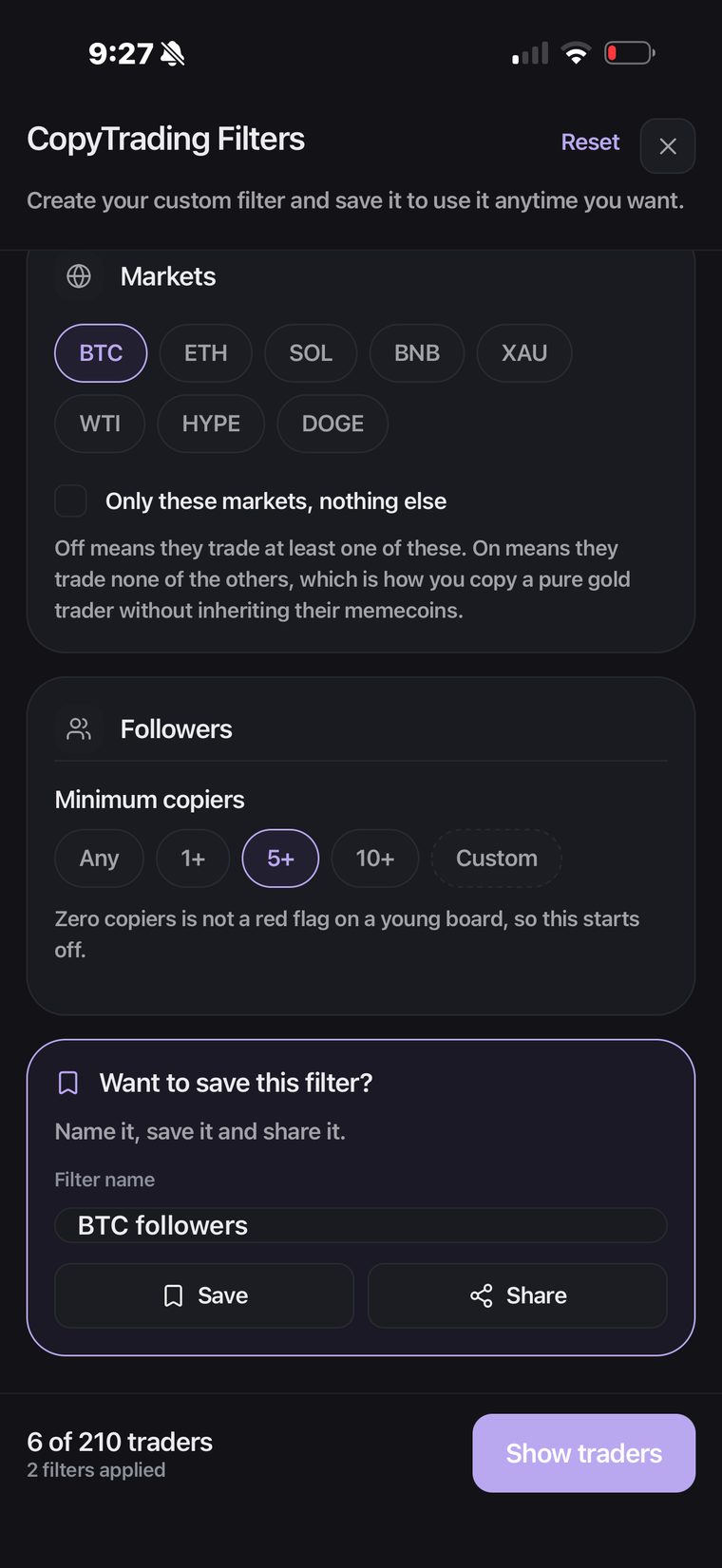
The leaderboard shows you hundreds of traders. A filter turns that into the handful you would actually copy, and now you can keep the filter rather than rebuilding it every time.
Every control offers presets and a custom value, and every one carries a line underneath saying what the number means and where the field sits, so a threshold means something. The counter at the bottom updates as you go.
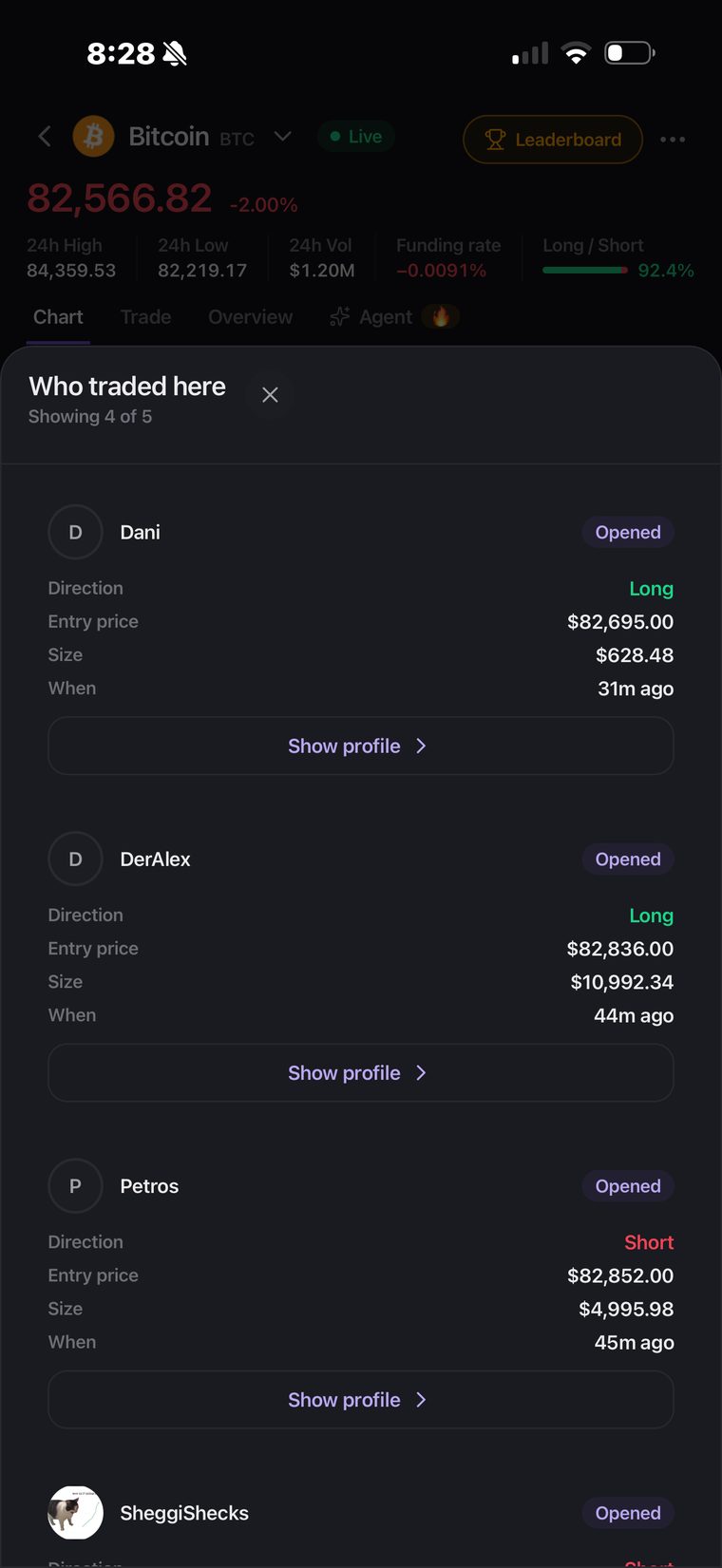
Social charts New
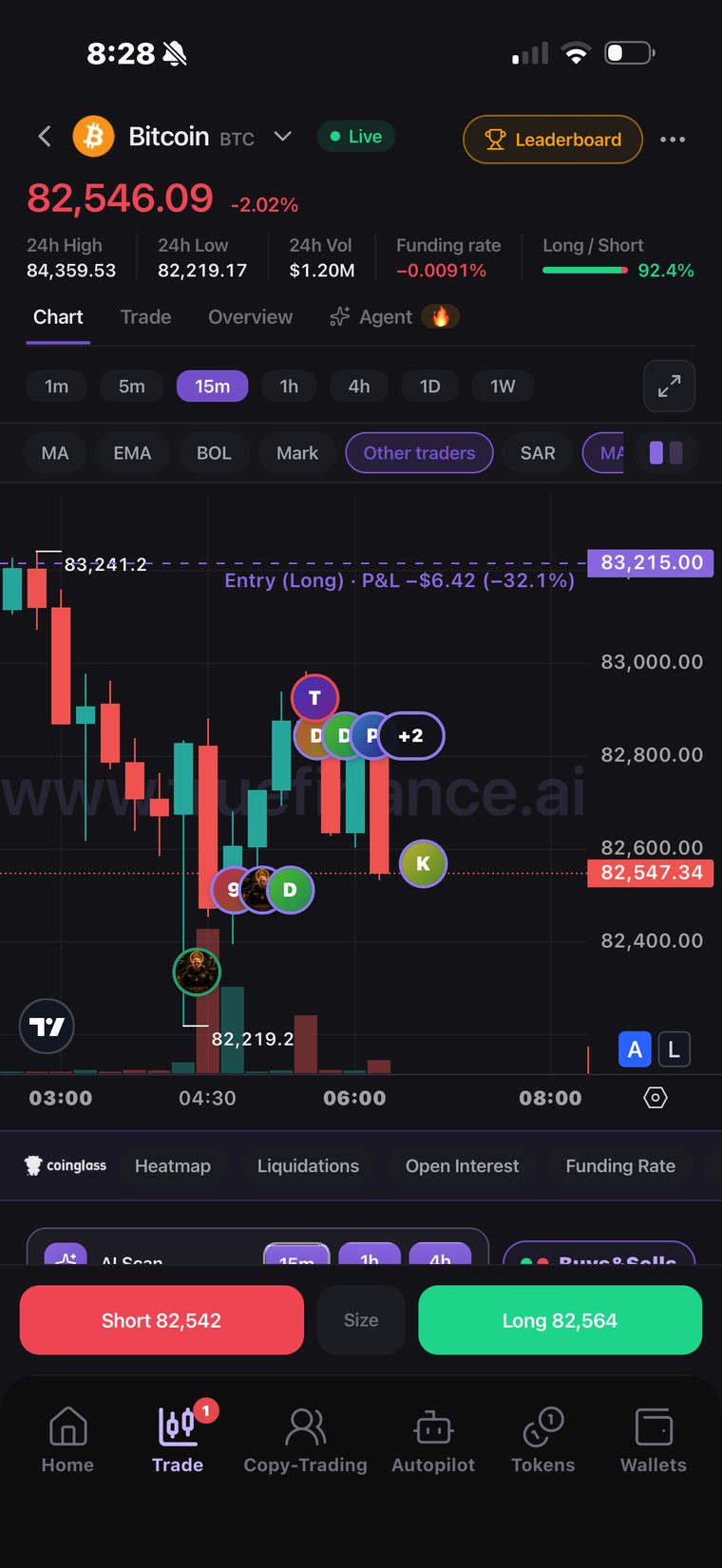
See who opened and closed positions directly on the chart, at what price, at what size and what it made. Tap a bubble to read the detail and go through to the trader.
Direction is shown only where the venue recorded it. Where it did not, nothing is guessed, because one wrong arrow is worse than no arrow.
Wallet history that explains itself
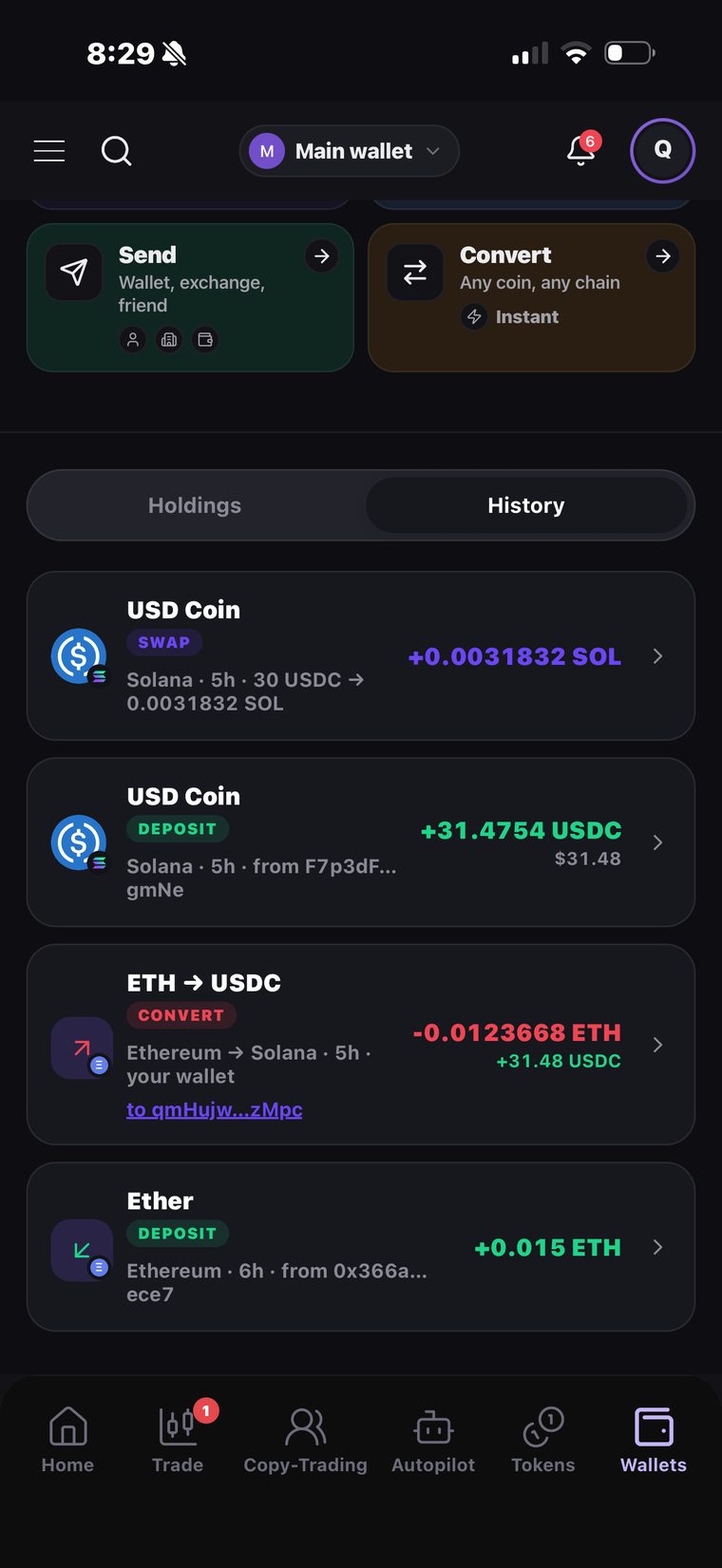
Every deposit, withdrawal, swap, bridge and transfer between your own books now shows its amount, its network, where it came from and a link straight to the transaction. A row that cannot say what moved is no longer a row.
Built to grow, and built to measure
Less visible than the rest, and the reason the rest gets better faster. The app now carries a full analytics and attribution setup of our own, wired the same way on iOS and on Android.
- Attribution. AppsFlyer, with Apple's SKAdNetwork and AdAttributionKit configured on the iOS build, so we can tell which campaigns actually bring people in.
- Product analytics. Firebase, Segment and Mixpanel on one shared event schema, so the app and the web app count the same thing the same way.
- Messaging. Customer.io, so a push, an email and an in-app message come from one profile instead of three.
- Crash reporting. Crashlytics, so a crash reaches us before it reaches a review.
Get the latest TRUE
Update TRUE from the App Store or Google Play, then open the app once.
Not seeing the new screens? Your phone is still running the version it launched with. TRUE only picks up a new version on a cold start, so going back to the home screen is not enough. Close it properly and open it again.
- Open the app switcher. On an iPhone without a Home button, swipe up from the very bottom of the screen and stop halfway. On Android, swipe up and hold, or press the Recents button. On an iPhone with a Home button, press Home twice.
- Flick the TRUE card up and off the screen. That closes the app for real.
- Tap the TRUE icon on your home screen. It starts on the new version.